Key Takeaways
-
Understand User Needs
Focus on the workflows of learners, educators, and administrators to ensure the software meets actual needs.
-
Consider Integration
Evaluate how new software will connect with existing systems to avoid data silos and improve efficiency.
-
Prioritise Scalability
Select solutions that can grow with your institution's needs, accommodating more users and features over time.
-
Emphasise User Experience
Design intuitive interfaces that enhance navigation and accessibility for all users.
Education software development is a critical focus for Australian education providers, including schools, training organisations, and higher education institutions. As the demand for digital learning solutions grows, understanding how education software can enhance learning delivery, streamline administration, and improve student services becomes essential. This guide aims to help founders, owners, CTOs, product leads, and operations leaders assess, plan, and implement effective digital learning and operational software tailored to their specific needs.
In a landscape where technology plays an increasingly pivotal role, education providers must consider various factors, including learner journeys, educator workflows, and administrative processes. The right education technology solutions can facilitate seamless integrations, robust reporting, and scalable digital experiences that cater to diverse user roles. By starting with an understanding of actual workflows rather than a predefined feature list, organisations can ensure their software choices align with their educational goals and operational requirements.
This guide will cover the full spectrum of education software development, from mapping learner and educator journeys to addressing accessibility and security concerns. By exploring the nuances of EdTech development, Australian education providers can make informed decisions that ultimately enhance the learning experience and operational efficiency.
Education software development: Map Learner and Educator Journeys Before Choosing Software
Before selecting education software, it’s essential to map out the learner and educator journeys. This foundational step ensures that the chosen solution aligns with the actual needs of users rather than merely fitting a predetermined feature list.
Start by identifying the key workflows for learners, educators, and administrators. For learners, consider their journey from enrolment through onboarding, course access, learning activities, assessments, and ongoing engagement. Each touchpoint should be designed to enhance the user experience, ensuring learners can easily navigate their educational paths.
Educators also have distinct workflows that must be accounted for. Their responsibilities typically include course setup, content management, grading, and providing feedback. Understanding these tasks helps in selecting software that streamlines these processes, reducing administrative burdens and enhancing communication with learners.
Administrative workflows are equally important. This includes managing enrolments, course allocations, scheduling, and reporting. A well-integrated education software solution should facilitate these tasks, providing visibility and efficiency across the organisation.
When assessing education technology solutions, consider how they will integrate with existing systems. For instance, linking learning platforms with CRM and ERP systems can create a seamless flow of information, reducing duplicate data entry and ensuring consistency across platforms.
Finally, remember that accessibility is crucial. The software should cater to diverse user needs, ensuring that all learners and educators can engage effectively with the platform. This focus on user journeys will guide your decision-making process, leading to a more effective and tailored education software development outcome. For more insights on enhancing your educational workflows, explore our AI Automation services.
Connect Learning Platforms With Business Systems
Mapping the workflows of learners and educators is crucial before choosing any education software. Start by understanding the entire learner journey, which includes enrolment, course access, learning activities, assessments, and ongoing engagement. This journey should inform the features and functionalities you seek in a digital learning platform.
Similarly, consider educator workflows. These encompass course setup, content management, grading, and communication with learners. Identifying pain points in these processes can help you select or develop software that streamlines tasks, making it easier for educators to focus on teaching rather than administrative burdens.
Administrative workflows are equally important. Tasks such as enrolment processing, course allocation, and reporting should be efficient and straightforward. A well-integrated system can reduce the time spent on these processes, allowing staff to allocate more resources towards enhancing the educational experience.
When assessing potential software solutions, consider user roles and permissions. Different users, such as learners, educators, and administrators, will require access to different functionalities. Ensure that the software allows for role-based access, so users can only see and interact with information pertinent to their responsibilities.
Integrations with existing systems, such as CRM or ERP platforms, are essential to avoid duplicate data entry and ensure data consistency across the board. This is where APIs come into play, facilitating seamless communication between different software applications. Proper integration planning can mitigate risks like inconsistent data or delayed updates, which can hinder operational efficiency.
For a comprehensive overview of automating administrative workflows, check out our guide on Business Process Automation.

Ready to Enhance Your Education Delivery?
Explore how tailored education software can transform your institution's learning experience.
Design Better Digital Experiences for Learners
Map Learner and Educator Journeys Before Choosing Software
Before diving into education software development, it's crucial to map out the journeys of both learners and educators. This process ensures that the technology you choose aligns with the actual workflows and needs of users rather than simply ticking boxes on a feature list. Here’s how to approach this:
Identify Key Touchpoints: For learners, consider the entire experience from enrolment to course completion. This includes onboarding, accessing learning materials, engaging with assessments, and receiving feedback. For educators, focus on course setup, content management, grading, and communication with students.
Gather Input from Stakeholders: Involve educators, administrators, and even learners in the planning process. Their insights will highlight pain points and expectations, helping to shape a more user-centric software solution.
Visualise Workflows: Create flowcharts or diagrams that outline each step in the learner and educator journeys. This visual representation can help identify bottlenecks or areas for improvement in current processes.
Prioritise Features Based on Needs: Once you have a clear understanding of the workflows, prioritise the features that will have the most significant impact. For example, if communication is a major concern, look for platforms that offer robust messaging and notification systems.
Consider Integration Needs: Identify how the education software will need to integrate with existing systems, such as student management systems or CRM tools. This will ensure a seamless flow of information across platforms, reducing administrative burdens.
Test with Real Users: Before full deployment, consider piloting the software with a small group of users. Their feedback will be invaluable in refining the system to better meet the needs of all stakeholders.
By mapping these journeys, Australian education providers can make informed decisions that enhance the learning experience and streamline administrative tasks. This approach not only supports effective education software development but also fosters engagement and satisfaction among users. For more on how to manage data in education systems, check out our guide on Data Management.
Build Reporting Around Reliable Education Data
Education software plays a crucial role in shaping the experiences of learners, educators, and administrators in Australian educational institutions. To effectively implement education technology solutions, it is essential to start by mapping out the workflows of all user roles involved. This approach ensures that the technology aligns with the actual needs of learners and staff rather than relying on a predetermined list of features.
Begin by analysing the learner journey, which includes enrolment, onboarding, accessing course materials, engaging in learning activities, and receiving feedback. Understanding these stages helps identify the necessary functionalities within your education software. Similarly, consider educator workflows, which encompass course setup, content management, assessments, and communication with learners.
Administrative workflows are equally important, covering tasks like enrolment processing, scheduling, and reporting. By addressing these areas, you can create a comprehensive digital experience that meets the diverse needs of your education provider.
When evaluating education software development options, consider the scalability of the solution. As your institution grows, the software should be able to handle increased numbers of learners, courses, and data without compromising performance. This is particularly relevant in the context of Australian education providers, where growth and adaptability are key to maintaining effective learning environments.
Integrating with existing systems, such as CRM or student management platforms, can streamline operations and reduce the risk of data duplication. APIs play a vital role in ensuring that information remains synchronised across platforms, which enhances the overall user experience.
For a deeper understanding of software development tailored to Australian needs, refer to our guide on A Complete Guide To Software Development In Australia.
Use Automation Where It Reduces Administration
When selecting education software, it's crucial to start with a clear understanding of the learner and educator journeys. This involves mapping out the workflows that learners and educators will engage in, ensuring that the chosen technology aligns with their needs and enhances their experiences.
Identify Key Stages: Break down the learner journey into key stages such as enrolment, onboarding, course access, learning activities, assessments, and feedback. Similarly, outline the educator's workflow, including course setup, content management, grading, and communication with learners.
Engage Stakeholders: Involve educators, administrators, and learners in the mapping process. Their insights will provide valuable perspectives on the challenges they face and the features that would enhance their workflows.
Evaluate Current Systems: Assess existing systems and processes. Identify pain points, such as manual data entry or communication gaps, that the new software should address. This evaluation will help clarify whether an established LMS suffices or if tailored solutions are necessary.
Define Success Metrics: Establish what success looks like for each journey. This could include improved learner engagement, reduced administrative workload, or streamlined communication. These metrics will guide the selection process and help measure the software's impact post-implementation.
Document Findings: Create a comprehensive document that outlines the mapped journeys, stakeholder feedback, and success metrics. This will serve as a reference throughout the software selection and implementation process.
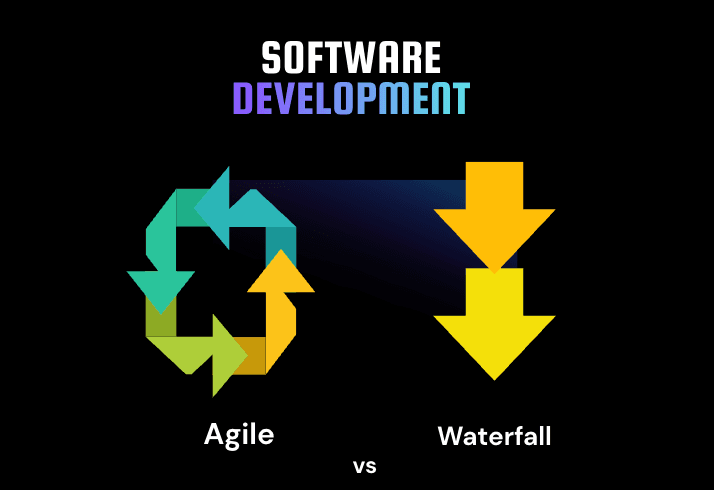
By prioritising the mapping of learner and educator journeys, Australian education providers can make informed decisions about their education software development, ultimately leading to more effective and user-friendly digital solutions. For further insights on the development process, consider reviewing the key differences between Agile and Waterfall in software development.
Planning a software project in Australia?
Tell us what you want to build. We’ll help you shape the scope and the next step in a free consultation.
When Does Tailored Education Software Make Sense?
When considering tailored education software, it’s essential to begin with a clear understanding of the specific needs of your educational environment. This involves examining the workflows of learners, educators, and administrators rather than simply focusing on a list of features. Here are some key areas to assess:
Learner Journeys: Map out the entire experience from enrolment to ongoing engagement. This includes onboarding processes, access to learning materials, assessments, and feedback mechanisms. Understanding how learners interact with the system will help in designing a user-friendly platform.
Educator Workflows: Consider how educators will set up courses, manage content, and communicate with students. Efficient workflows can significantly reduce administrative burdens and enhance teaching effectiveness.
Administrative Processes: Evaluate the administrative tasks that need to be streamlined, such as enrolment processing, course allocation, and reporting. A well-designed system can facilitate these processes and improve overall efficiency.
Integration Needs: Identify existing systems that your new education software must integrate with, such as CRM or student management systems. Seamless integration can reduce data duplication and improve the accuracy of information.
Data Management and Reporting: Think about how data will be collected, managed, and reported. Reliable data is crucial for making informed decisions and improving educational outcomes.
Accessibility and Scalability: Ensure that the software is accessible to all users, including those with disabilities. Additionally, consider how the system can scale as your institution grows, accommodating more learners and courses without a drop in performance.
By focusing on these areas, Australian education providers can develop a tailored education software solution that meets their specific needs, enhances learning experiences, and supports operational efficiency.
How Dev House Australia Supports Education Software Development
Dev House Australia supports Australian education providers in planning and developing digital platforms around real learner, educator, and administrative workflows. This can include mapping learner journeys, designing user-friendly interfaces, planning enrolment and course-management processes, defining role-based access, and integrating education platforms with CRM, ERP, student-management, and other existing systems.
For providers with more complex requirements, Dev House Australia can also support API integration, data management, administrative workflow automation, reporting dashboards, mobile access, cloud infrastructure, software testing, and legacy system modernisation. The approach can be tailored to the organisation’s users, courses, data, integrations, accessibility needs, and growth requirements so the technology supports both learning experiences and operational efficiency.
Conclusion
Education software should make learning and administration easier for learners, educators, and operational teams rather than adding unnecessary complexity. Clear learner journeys, efficient educator workflows, reliable integrations, role-based access, accessible interfaces, and accurate data all contribute to a more effective digital education environment.
For Australian education providers, the right software approach depends on existing systems, user needs, integration requirements, reporting, accessibility, scalability, and long-term operational goals. Mapping these requirements first can help determine whether the best option is to improve an existing platform, integrate disconnected systems, modernise legacy software, or develop more tailored education functionality.