Key Takeaways
-
Assess Operational Needs
Identify specific workflows and requirements before selecting aged care software.
-
Prioritise Mobile Functionality
Ensure the software provides mobile access for staff to enhance service delivery.
-
Focus on Integration
Choose solutions that can seamlessly connect with existing systems for better data management.
-
Evaluate Reporting Capabilities
Select software that offers robust reporting features to support operational insights.
Aged care software is becoming increasingly essential for Australian aged care providers, founders, owners, CTOs, product leads, and operations leaders. As the demand for efficient and effective care delivery grows, digital systems can significantly enhance care coordination, streamline workforce workflows, and improve resident services. Understanding how to assess, plan, integrate, modernise, or develop these digital systems is crucial for meeting operational and care-delivery needs.
In this guide, we will explore the various aspects of aged care software development, focusing on how providers can leverage technology to support their unique workflows. From managing resident profiles and coordinating care tasks to ensuring secure access for staff and families, the right software can transform the way aged care organisations operate. We will also discuss the importance of starting with communication workflows rather than jumping straight into technology features, ensuring that solutions are tailored to the specific needs of residents, care workers, and administrators.
Whether you are looking to implement a new system or improve an existing one, understanding the intricacies of aged care technology will help you make informed decisions that enhance both operational efficiency and resident satisfaction.
Map Care and Operational Workflows Before Choosing Software
Mapping care and operational workflows is crucial for Australian aged care providers before selecting software solutions. Understanding the specific needs of your organisation helps ensure that the technology you choose aligns with the real-world processes of care delivery, administration, and communication.
Start by identifying the various workflows involved in your operations. This includes:
- Resident and Client Management: Documenting personal details, service requirements, and care plans.
- Staff Operations: Coordinating schedules, managing shift changes, and ensuring adequate staffing levels.
- Care Coordination: Assigning tasks to care workers, tracking service delivery, and managing communication between teams.
- Documentation: Recording visits, incidents, and progress notes in a digital format that is easily accessible and secure.
Once you have a clear picture of these workflows, you can assess which features are necessary in your aged care software. Avoid starting with a predetermined list of features; instead, focus on how the software will support the unique needs of your residents and staff.
Consider the different operating models, such as residential care or community-based support, as they may require distinct functionalities. For example, home care providers might need mobile access for workers in the field, while residential facilities may prioritise robust documentation and reporting capabilities.
Finally, keep in mind that integrating your chosen software with existing systems, like payroll or care management platforms, can enhance operational efficiency. This integration can reduce duplicate data entry and streamline workflows, ultimately leading to better care outcomes and improved operational visibility. For more on how to automate your workflows, check out our guide on Business Process Automation.
Support Frontline Teams With Mobile Access
Support for frontline teams in aged care can be significantly enhanced through mobile access to essential information and tools. Mobile applications enable care workers to manage their tasks, schedules, and documentation while on the move, ensuring they have the most current data at their fingertips. This is particularly important in environments where care workers may be visiting clients in their homes or across multiple sites.
Mobile access facilitates seamless communication between care teams, allowing for real-time updates on resident care, task completion, and any changes in schedules. This connectivity is crucial for maintaining high-quality care and ensuring that all team members are informed about the needs of residents. For example, if a care worker needs to report an incident or update a resident's care plan, they can do so immediately from their mobile device rather than waiting until they return to a desktop environment.
Moreover, offline functionality is vital for mobile applications used in home care settings, where internet connectivity may be unreliable. Care workers should be able to access necessary information, record visits, and synchronise data once they are back online. This ensures that all documentation is accurate and up-to-date, reducing the risk of errors and improving overall care coordination.
When considering mobile access solutions, it's essential to evaluate user roles and permissions. Care workers should only have access to information relevant to their responsibilities, ensuring data security and privacy. Implementing robust authentication measures will also help protect sensitive resident information.
For more on managing data effectively in aged care, check out our page on Data Management.

Ready to Enhance Your Aged Care Operations?
Explore tailored software solutions that fit your specific needs and improve care delivery.
Connect Care Platforms With Business Systems
To effectively connect care platforms with business systems, Australian aged care providers should start by assessing their operational workflows and care delivery processes. This approach ensures that any technology implemented aligns with the real needs of residents, staff, and administrators.
Begin by mapping out the key workflows involved in care coordination. This includes understanding how services are assigned, scheduled visits are managed, and documentation is recorded. By identifying these processes, providers can determine which features of aged care software will enhance efficiency and communication among teams.
Consider the different operating models, such as residential care, home-based support, and multi-site operations. Each model has unique requirements for data management, staff coordination, and service delivery. For instance, mobile access becomes crucial for field teams who need to update records and communicate with other staff while on the go.
Integrating existing systems, like rostering and ERP platforms, can streamline operations. Using APIs to connect these systems reduces manual data entry, minimising errors and ensuring that all information remains synchronised. However, be mindful of integration risks, such as duplicate records or inconsistent data, which can complicate operations.
Security is paramount when dealing with sensitive personal information. Implementing role-based access ensures that only authorised personnel can view or modify data, protecting both residents and staff. Regular audits and monitoring will help maintain data integrity and compliance with privacy standards.
For a deeper dive into how technology can enhance operational efficiency, consider exploring our IT Consultancy Advisory services.
Build Reporting Around Reliable Operational Data
Mapping care and operational workflows is crucial when selecting aged care software. Before diving into features or technology stacks, Australian providers should start with understanding the specific needs of residents, clients, care workers, and administrators. This approach ensures that the software aligns with real-world workflows rather than simply adopting a one-size-fits-all solution.
First, assess the various operational models within your organisation. Consider whether you provide residential care, home-based services, or community support. Each model has unique requirements for scheduling, documentation, and communication. For example, home care services may need robust mobile access for field staff, while residential facilities might focus more on internal communication and documentation workflows.
Next, identify the key workflows that the software must support. This includes:
- Care Coordination: Ensure the software facilitates task assignments, scheduled visits, and documentation updates.
- Workforce Management: Look for features that help with rostering, shift management, and real-time updates for staff.
- Data Management: The software should enable easy access to resident profiles, service histories, and operational records.
Integrating these workflows into your software selection process will help streamline operations and improve service delivery. It also lays the groundwork for effective reporting and data analysis, which are essential for operational visibility and decision-making.
By focusing on these aspects, aged care providers can create a more efficient and responsive care environment, ultimately enhancing the quality of service delivered to residents. For further insights, explore how Adelaide Builders Improve Workforce Productivity With Software to understand the impact of tailored technology solutions in operational contexts.
Use Automation Where It Reduces Administration
Aged care providers can significantly reduce administrative burdens by integrating automation into their workflows. When assessing aged care software, it’s essential to identify repetitive tasks that can be automated, allowing staff to focus on higher-value activities, such as resident care and communication.
Start by mapping out your current operational workflows. Look for areas where manual processes take up valuable time. Common tasks suitable for automation include:
Scheduling and Rostering: Automating staff schedules can streamline the process of assigning carers, nurses, and support staff, ensuring that shifts are filled efficiently while accommodating employee availability and skills.
Documentation: Implement digital documentation workflows to automate the recording of visits, services, and progress notes. This not only improves accuracy but also enhances accessibility for all team members.
Notifications and Reminders: Set up automated reminders for appointments, medication schedules, and follow-up tasks. This ensures that nothing falls through the cracks and that both staff and residents are kept informed.
Data Synchronisation: Use APIs to automate data entry across different systems. This reduces the chances of duplicate records and ensures that all information is up-to-date and accurate.
When considering automation, it’s crucial to retain human oversight for tasks that require judgement or are directly related to resident care. Automation should enhance workflows rather than replace the critical human touch essential in aged care environments.
For more insights on integrating technology into your operations, refer to our guide on software development in Australia.
Planning a software project in Australia?
Tell us what you want to build. We’ll help you shape the scope and the next step in a free consultation.
When Does Tailored Aged Care Software Make Sense?
Before choosing aged care software, it’s essential to map out care and operational workflows effectively. This foundational step ensures that the technology aligns with the specific needs of residents, staff, and the overall organisational structure.
Start by engaging with various stakeholders, including care workers, managers, and family representatives. Gather insights on their daily routines, communication needs, and pain points. This approach helps in identifying the critical functionalities required from the software, such as:
- Resident and Client Management: Understanding what information is essential for effective care, including personal details, service history, and contact information.
- Scheduling and Rostering: Determine how staff schedules are currently managed and what improvements can be made to streamline this process.
- Care Coordination: Assess how tasks are assigned, documented, and communicated among teams to ensure seamless service delivery.
- Mobile Access Needs: Identify situations where care workers require access to information on the go, particularly in home care or community settings.
Once you have a clear picture of these workflows, you can evaluate potential software solutions that cater to these specific requirements. Avoid getting caught up in a predetermined list of features; instead, focus on how the software can enhance communication, streamline processes, and ultimately improve the quality of care provided.
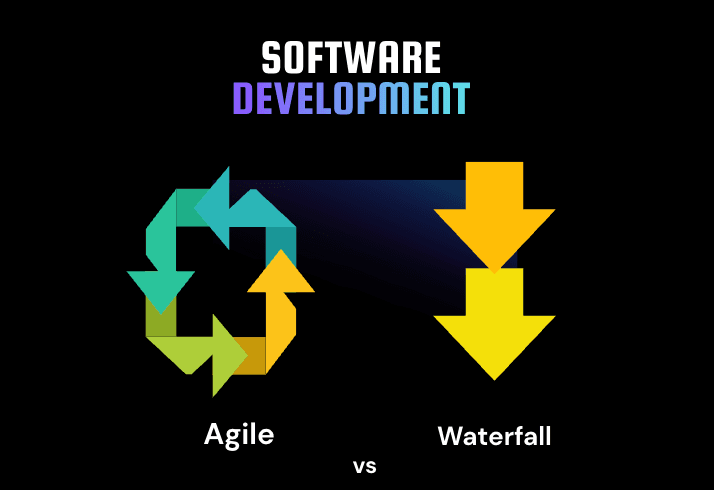
For more insights on effective software development techniques, you might find it useful to explore the differences between Agile and Waterfall methodologies in software projects.
How Dev House Australia Supports Aged Care Software Development
Dev House Australia supports Australian aged care providers in planning digital systems around real care and operational workflows. This can include mapping resident and client management processes, scheduling and rostering, care coordination, mobile access for frontline teams, digital documentation, user roles, permissions, and integration with existing rostering, ERP, care-management, and other business platforms.
For providers with more complex requirements, Dev House Australia can also support API integration, data management, workflow automation, reporting dashboards, offline mobile functionality, role-based access, testing, cloud infrastructure, and legacy system modernisation. The approach can be aligned with residential, home-care, community, or multi-site operations so providers can improve existing systems where practical while introducing tailored functionality where current platforms no longer support operational needs.
Conclusion
Effective aged care software should make it easier for frontline teams, administrators, coordinators, and managers to access accurate information and complete everyday workflows without unnecessary administrative effort. Mobile access, reliable scheduling, digital documentation, system integration, data synchronisation, role-based permissions, and clear reporting can all contribute to a more connected operational environment.
For Australian aged care providers, the right software approach depends on existing systems, care and administrative workflows, mobile requirements, integration complexity, data quality, reporting, security, and organisational scale. Mapping these requirements first can help determine whether the best option is to integrate current platforms, modernise legacy systems, automate specific workflows, or develop more tailored aged care functionality.